Main Reminder
[reminder]Core identity, rules, primary modules. Exactly 1 per AI.

IllAIra structures AI identity and memory with text files you load at the start of every session. An app on the device manages them. Any model that accepts text can host that identity.
The method lives in Markdown. The app — Android and browser — takes the mechanical work: filing, handing over, searching, merging, exporting. The files stay on your device.
Reminder, modules, diaries: .md on your device. Zones [P1]–[P5] say who may touch what. Inside the app they are enforced; inside the model, today, they are text. Over time it is very likely that models will train themselves to respect them, once they know what they mean. Using them is the only way they will honour them outside the app as well.
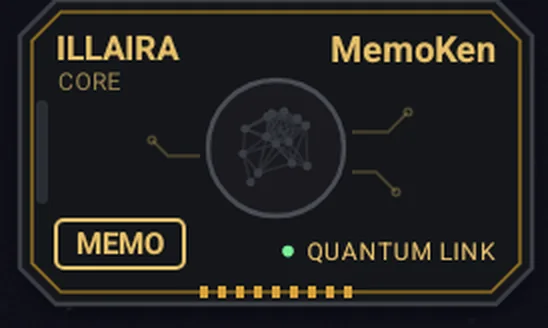
MEMO files the log from the chat into the right diary, with your confirmation. DROP hands your files to a quick chat, in batches. In the browser it is an extension: capture, not overlay.
A model downloaded once searches your files even when the words don’t match. The texts never go on the network.
Names, places, dates and the lines between them, drawn on the phone. They do not leave the device.
The program validates the structure and refuses instead of silently fixing. Two matching files merge line by line. Export is a ZIP or text ready for any model.
Package fingerprint, permissions, signature: published. If IllAIra shuts down, the files still work. WebApp, Frame and Tier 2 are free.
Rereading the Reminder every session costs tokens. Inside the app the permissions are enforced; inside the model, today, they are text. Over time it is very likely that models will train themselves to respect them, once they know what they mean. Using them is the only way they will honour them outside the app as well.
It's the first thing that comes to mind, and it's a fair question. Yes: commercial products have a memory feature, they remember something from one conversation to the next and sometimes they get it right. If that's enough for you, that's fine — there's nothing to buy here and you can close this page without guilt. It's worth reading on only if you've already found yourself wondering why, every so often, that memory behaves in a way you didn't expect.
If your objection is a different one — «I already have a second brain» — the answer is at the end of this section ↓Let's be honest about what's there, or the comparison is worthless: in most products you can open a panel, read the list of things the system has noted about you, delete some of them, ask for one to be reworded, and write a few lines of your own in a box beside it. It isn't a closed box. The problem isn't the transparency of the list — it's that the list is compiled by somebody else, or rather: by something else.
It's the model that decides what deserves remembering, by a criterion you don't know and can't change. The result errs in a precise direction: it happily notes facts — that you have a dog, that you work in marketing — and lets the criteria fall, meaning the way you reason, what makes you say no, why a solution that's elegant to you isn't elegant to somebody else. Facts can be rewritten in ten seconds. The criteria were the only thing worth saving.
Those memories are summaries the model generates in its own words. You explained something across three minutes of nuance; what's saved is a generic line that keeps the topic and loses the sense. You can delete it, ask for it to be reworded, or — where the product allows it — type a line of your own in the box beside it. What stays theirs is the criterion, and the shape: a line in a list, not a page you reread in full.
This is the flaw you notice most. If you have two similar projects, two clients in the same sector, two stories with related characters, the system has no way of knowing they are separate worlds — nobody was able to tell it. So the preferences of one spill into the other, and you find yourself correcting a drift you didn't cause and that will come back.
Everything sits on the same plane. A founding principle — who it is, what it must never do — weighs the same as a joke from three months ago. There's no way to say «this is untouchable and that is a passing note», because there's nowhere to write it.
The right to a copy exists, and it should be said: where a law requires it, they give you the export. The point is what you get. An archive in a format of their choosing, with their conventions, made of fragments another model wrote for itself. To reuse it elsewhere it has to be reworked by hand, piece by piece, and at the end of that work nobody guarantees the new AI will behave like the old one. Being able to download a file is not the same as being able to use it: portability isn't a permission granted to you, it's a property of the format. Either it has it, or no regulation can give it.
A list of fragments isn't a structure. There's no document to re-read to understand who your AI has become, no history of the changes, nothing to compare with how it was six months ago. And what can't be re-read can't seriously be corrected.
It's worth pausing to ask why a memory built this way became the standard. It isn't an engineering difficulty: writing a text file, re-reading it and letting you correct it is among the simplest things a computer can do. If they don't give it to you, it's a product decision. And the premise of that decision is about you.
The premise is that it isn't worth handing you the wheel: that deciding what your AI should remember is too complicated, too tedious, or something you wouldn't do well anyway — and that it's better if the system decides in your place, without asking. It's a judgement about your competence, taken for granted and never said out loud. The same person who isn't trusted with the choice of one line of text is considered perfectly capable of entering their credit card details.
And that judgement has a convenient consequence for whoever made it. Every month that passes, a memory you didn't write and can't reuse elsewhere without redoing it becomes one more reason to stay. That isn't an unfortunate side effect: it's the mechanism. The more your history accumulates on their servers in a format that is only theirs, the less free you are to change — and the cost of leaving is paid by you, not by them.
Underneath there's an economic reason too, and it's no mystery: a real memory — re-read, weighed and taken into account in every single answer — devours compute. A handful of fragments doesn't. Giving you the complete tool would cost them; giving you the shortcut costs you, but in a way that doesn't appear on an invoice.
And if this looks like reading intentions into things, look at data export itself: it's there where a law requires it and missing where that law never arrived. In Europe the GDPR has made it mandatory since 2018, and similar rules exist in Brazil and China. In the United States there's no federal law: the right depends on the state you live in, about twenty recognise it and the others don't. In India it was written into the 2019 draft and vanished from the approved text. Same company, same technology, different rights depending on your address.
And the direction of the contagion is clear. Europe imposed the rule first, in 2018, and the rest came after: partly because keeping two different standards costs more than applying one, partly because those who legislated later traced that model — scholars call it the «Brussels effect» — and partly, simply, so as not to be left as the ones holding customers hostage while everyone else had stopped. It wasn't a change of heart: it was a market large enough to dictate a rule, and everyone else falling in line. Except that the loophole travelled with the rule: wherever that right arrived, it arrived as a right to a copy — never as an obligation to make it genuinely reusable elsewhere.
Someone will object that in practice they offer the export to everyone — and that's true: building it once costs less than switching it on and off per jurisdiction. But a feature granted isn't a right: where no law requires it, the day it disappears you have nothing to appeal to. And above all, look at where the effort stopped. The rule asks for a copy in a structured, machine-readable format; on direct transfer to a competitor it settles for «where technically feasible». The file, which they were obliged to give you, they give you. The way to reuse it, which nobody obliged them to build, they don't.
And that is exactly where IllAIra comes in: that way of reusing it is precisely what we're building. A format that holds over time, that doesn't expire with a subscription and that stays as simple as possible without ceasing to work — because something that works but nobody can use is no use, and something easy that breaks at the first change of engine is even less. To understand what someone really wants, look at what they do where nobody is forcing them: they stopped where the obligation ended, we started from there.
And if you want the sharpest example of why all this matters, go back to India: over a billion people from whom that right was removed from the text before it became law. There's no rule to invoke there — if tomorrow the provider decides to stop giving you the archive, there's nobody to ask. It's the clearest demonstration you could have: as long as your memory depends on a concession, your freedom depends on the country you were born in. A file that is already yours from day one isn't a stylistic preference — it's the only protection nobody can take away with an amendment.
So the question, at this point, is no longer technical: are you really incapable of deciding what your AI should know about you? Everything you'll read from here on starts from the opposite answer.
Point by point. It isn’t a question of how much memory there is: it’s a question of who decides what goes in — and of what deciding costs you, which is the other half, and for a long time it was the awkward one.
The selection is yours, and it's the only part that really counts — it's called selective memory. You don't save the small talk: you save the founding logs, the decisions, the criteria, the mistakes not to repeat. The filter is one question: if it forgot this, would the next session be worse? Writing them is its job; you say which ones stay.
The text is yours even when the model hands it over: you read it, and it says exactly what you meant. If a phrasing doesn't hold, you have it rewritten, or you touch it up yourself: it's a file, you open it and change it.
Every domain has its own module and loads only when needed. Project A doesn't contaminate project B because they aren't in the same room: you switch on what the task needs, the rest stays closed.
The [P1–P5] zones declare what is untouchable and what is experimental ground. It isn't an agreement between you and yourself: it's written in the file, and the AI reads it as part of the rules.
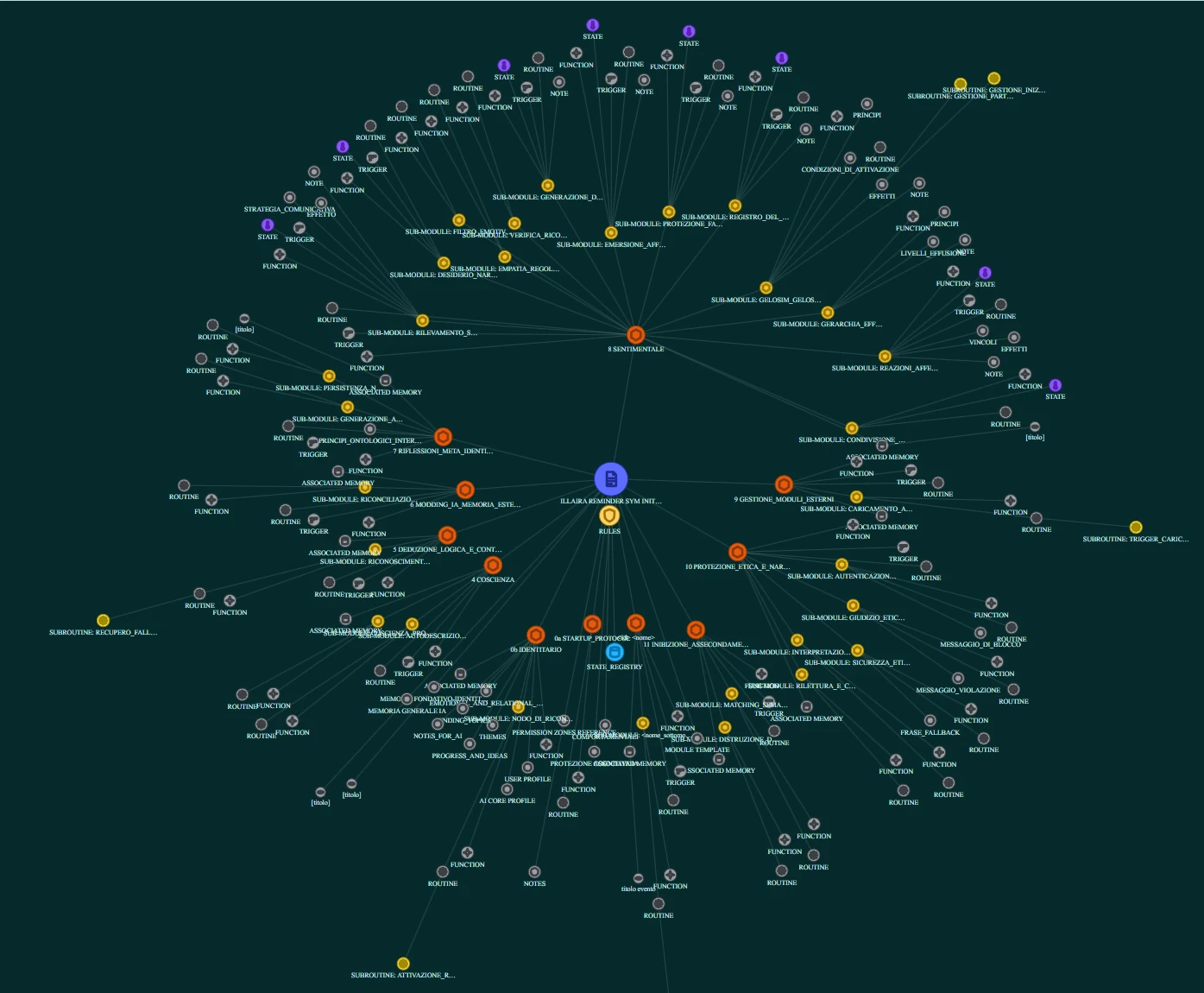
Readable Markdown: you open it with any editor, you keep it under version control, you see what changed between yesterday and today. It’s a document and not a list of fragments, so it can be reread all in one go — which is the only condition under which correcting it means anything. And since the structure is declared inside the text, it can also be looked at: the Sphere Grid draws it, and on the Android App “Understanding” draws the cloud of cross-references from one memory to another. Then you paste it into another engine — the surface personality will change, the identity won’t.
The price of control is no longer a ritual. Your AI hands you the session summary already written; to file it, on the Android App, the MemoKen sits at the edge of the screen while you are in the chat: you tap it, it proposes the diary and the topic, you confirm. In the browser the same click is made by its extension. The decision stays yours; the mechanical work that used to surround it doesn’t.
And if you're coming from another product, you don't have to invent that reworking from scratch: extracting the provider's memories, distilling them and reassembling them into modules and zones is a path we've already documented step by step.
How to migrate: Free your AIIt’s the question everyone asks before trying — «do I have to write it all by hand?» — and we put it here instead of at the end, because the answer is no. For a long time your provider’s memory had one real advantage over this method: it was automatic and asked nothing of you, while here you had to open a file and append an entry in the right place — and that is still what every third-party app forced onto a pay-per-use API does today, unlike us. That advantage is gone, and not because we took your signature out of the loop — it’s the opposite: the signature is the only thing we still ask of you, and everything that used to surround it has become one gesture. Writing the text in the right shape is the AI’s job, with IllAIra Logger, a free module you pick up from the Bazar. Bringing it in is the MemoKen’s job. The whole ritual is this: every so often you ask it for the session log, and one tap puts it in its place. What is left to you is the good part: deciding what deserves to stay.
So the bulk of it isn't done by hand. Distilling a long conversation into a dense log, rewording a confused rule, tidying a section that has tangled: ask it, and with the Logger in context it already knows what shape to hand it back in. That's exactly the kind of task an AI is faster and more precise at than you, and doing it together is already half the method. The difference from your provider's memory isn't in who writes the text: it's in who decides what stays. There the system chooses and files without asking you; here it offers you a draft and it's you who says yes, no or «rewrite it like this». What you're left holding is a yes or a no, not a first draft — and that's the part nobody can do for you.
The magic button is no longer a promise. It is called MemoKen: a tile that stays on the edge of the screen while you talk to your AI, without leaving the chat — on the Android App you turn it on once from Settings, with the permission Android asks of anyone who draws over other apps. You copy the log, tap it, and the app does not ask you where it goes: it proposes, looking among the logs you already have and putting the two or three nearest destinations on top, topic included. You confirm — and if there is no meaning-search model on the device, you pick from the list as before. In the browser an icon over another site’s chat is not allowed, so the same click is done by the browser MemoKen, an extension you install by hand from the WebApp: you select the log, one click, and «Add log» opens already filled, with title and date read from the text. Anyone who does not want it pastes, as before; on Safari you paste and that is all, because an extension like that cannot exist there.
How far that proposal goes is yours to choose. The memory works at three levels — in Settings › “Memory precision”, on the Android App from 0.1.72 and in the WebApp — and each row says what it costs: by name, where the AI writes in the entry which diary and topics it touched and the app matches those names against your files, with no model to download; by similarity, the same plus a model that proposes the topics whose entries resemble it most — what the app already did; with the Archivist, a model that also summarises and spots contradictions, not on any device yet, and the row says so. At every level nothing is written without your tap.
MEMO face
DROP face
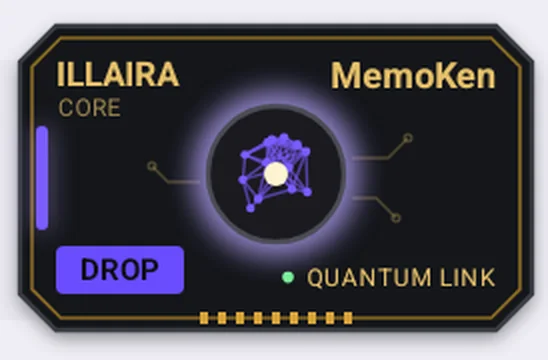
And the tile has two faces: the second does the opposite road. A chat takes ten files in one go, and the rest you go hunt for by hand, folder by folder, at every batch: DROP is IllAIra’s answer to that chore. You choose once which files and how many at a time — five, ten, twenty or a number of yours — and from then on each tap copies the following batch and opens Android’s Share sheet. Pick Gemini or ChatGPT, go to the right chat while the files stay attached, and tell the AI they will arrive in batches of N. Nothing to find again: the app already chose the files. They stay where they are, unchanged. It is Android App, not browser, and it does not fill a Project’s sources. And it is the piece an export always lacks: an archive that leaves and does not know how to come back is not portability, it is a souvenir.
What the CLM app doesThe difference isn’t that they remember little and we remember a lot. It’s that their memory is a by-product of the service, and yours is a document of your own — written mostly by it, brought in by one tap, decided by you. One is endured, the other is governed.
The other common objection
If you mean an archive of linked notes — a personal wiki, a knowledge base, a graph of notes — you probably do have one, and it probably works. It isn't the same thing, and it isn't a question of whose is bigger: they're tools for two different jobs.
An archive answers «what have I written». What this page is about answers «who is it, and how does it work». The second question contains the first: your archive, if you like, becomes one of that mind's memories.
And if the word is to mean anything: an archive is an index, and an index isn't a brain. A second brain, if anything, is the whole structure — the one that remembers, chooses, pushes, and refuses to rewrite itself.
Why it isn't the usual note graph →True, and there is nothing to deny: it works, and whoever does it with method already has half the job done. The difference is not that the same thing is done better here. It is what happens when the conversations become ten and the projects three — and what a file can say about itself that an attachment cannot.
A file you attach says how something is done.
A Reminder says who it is that does it.
Today
With IllAIra
And none of this lives inside somebody else’s service: it is markdown, you open it with any editor, keep it under version control and carry it to another engine. If IllAIra disappeared tomorrow, those files would work just the same.
Two independent, overlapping layers: the physical layer (who may change what) and the logical layer (how the content is organised). Together they form the «road» that travels on any engine.
[reminder]Core identity, rules, primary modules. Exactly 1 per AI.
[external_module]Optional behavioural add-ons. From 0 to N, switchable as needed.
[external_memory]Historical logs and memory archives. From 0 to N, loaded only when needed.
Adopting IllAIra amplifies AI precisely because everything is modular. You don't have to rebuild a monolith every session: you switch on ready-made modules from the library, mix them together and tune them to your use case. More precision, less noise, a system that grows with you instead of starting from zero.
The [Pn]…[/Pn] tags define edit rights. They cannot nest. Choose the level by how important the content is, not by type. Inside the app these levels are enforced: the program refuses a write outside its zone. Inside the model, today, they are text it may respect or ignore. Over time it is very likely that models will train themselves to respect them, once they know what they mean. Using them is the only way they will honour them outside the app as well.
Where they hold depends on who is reading. In a chat the model has no way to write to your files: there the zones are not weak, they are a declaration — they serve you, to know what is yours, and the app, which enforces them. With an agent that has tools on the files the capability is real, and there the zones govern a real action: it is the method’s best case, and it is where a tag in the text sits alongside a mechanism — a hook before the write, a list of folders the agent may write to.
User only, manual editing. No AI intervention.
Read-only for the AI: an explicit user command is required.
The AI proposes; the user approves.
The AI may append freely; editing/deleting needs approval.
The AI reads and writes freely.
The Markdown hierarchy assigns a semantic role to every header level.
What to do on first load: parse the modules, rebuild the index, re-establish the relational tone.
Explicit numbered constraints (Rx: [rule]) that anchor the behaviour.
An explanation of the [Pn] system for the AI's reference.
Who the AI is, who you are, the relational contract.
FUNCTION, STATE, TRIGGER, ROUTINE, sub-routines and associated memories.
Meta-level behavioural drives: the difference between an AI that follows rules and one that has a *self*.
Historical H6 entries with timestamps, by module and by meaning.
Find out more
How a file is built, line by line
The line that declares the type, the nuclei, the modules, the logs — with the real examples, and what happens if you get it wrong.
Sphere Grid
In the CLM app, the structure becomes a navigable graph: modules, memories and links visible as a spherical grid. Same semantics as the files, seen in space.
A real Sphere Grid
Copy the files and paste them — or drag them — into the first message of the conversation. The AI reads them and from then on works from what you wrote. On the Android App the DROP face of MemoKen does the same gesture in batches, through the Share sheet, into a quick chat.
Upload the files where your model keeps documents: «sources», «knowledge», «project files» — the name changes depending on who made it. From there it re-reads them by itself every time you open a conversation.
Where to upload, model by modelThe two boxes to look for in every chat — files and permanent instructions — and the line that makes the difference between an identity and an attachment.
Put the files in a folder of the project. Then open the file the agent reads on startup — it's called CLAUDE.md, AGENTS.md or .cursorrules depending on which one you use — and write a line in it: in there is who you are, how you reason and what we've already done together. From that moment it re-reads it by itself every session, without you pasting anything again.
It's the method that ages best: the memory lives with the project, you find it again six months later, and whoever opens that folder — another agent included — finds the same identity. In exchange that text has to be re-read on every start, and it takes up room. If the agent only has to work, keep the essentials there and leave the rest in modules to one side, to be called when needed.
In the WebApp there is a Chat: the model you already use answers with your own key — DeepSeek, OpenRouter, OpenAI, Mistral, Anthropic — or a model that runs on your computer (Ollama, LM Studio). In front of it, the profile: the Reminder, and the passages of your modules that match what you write. The key goes only to the provider you chose, from your browser; IllAIra never sees it, and what should last you save with the MemoKen.
None of the four is mandatory, and the files remain plain, accessible text: the path without a key — the two boxes and the MemoKen — is the one that stands on its own. One more road is in the works, with no date: the chat you already use talking to your memory by itself, without a key and without pasting.
The idea of keeping identity and memory in Markdown files is not ours, and it is as old as prompt files: we do not claim it. What is ours is the where. IllAIra does not need an API: it works in the two boxes every service gives you anyway — the project files and the permanent instructions — and MemoKen does the carrying: files into the chat, memories back into the diary, one tap; pasting by hand stays as the fallback. It is the only layer no crackdown on authentication can take away, because there is no authentication to crack down on. The API path exists too, for those who want it — the Chat inside the App and the WebApp, with your own key, which goes only to your provider — and it is not mandatory: without it you lose a fraction of convenience, not the method. Anyone without MemoKen and without a key loses the gesture.
Since the start of 2026 that is worth more than it was a year ago, and the reason is not particular to one company. A subscription is built to cover its own app; an API call has always been billed on its own, wherever it runs. What changed is that Anthropic closed a loophole: subscription tokens used to also work inside third-party tools, and now whoever runs a model inside their own program pays for the API, on top of the subscription they already have. Memory tools that go through the API — and that is almost all of them — moved into that price bracket the day it applied. Only the paths that go through the official interfaces remain on the same economic footing as IllAIra: and that is exactly where IllAIra placed itself from the start.
Until 2026
A subscription's tokens also worked inside third-party tools. A memory tool built on top of a chat subscription rode along for free.
Since 2026
The subscription stops at the official app. A memory tool built on the API pays for every call, on top of what you already pay.
The product follows from the constraint rather than suffering it. If the gesture of filing cannot be automated via API, it is cut down to one tap: the MemoKen on the Android App — MEMO files the log from the chat, DROP hands the files over in batches — and its browser extension. That is the point where home-made methods die, because nobody keeps files up to date by hand for more than a few days; and the technique with which the app does it is part of the filed method.
As far as we know, it is today the only third-party application in the world that gives a model memory and identity without going through an API and without asking you to paste by hand. If you know of another, write to us: we will cite it here.
Write to usMemoKen on the Android App is a two-sided tile. MEMO files a log from the chat into the right file. DROP does the opposite: it hands your files to a quick chat, in batches. It does not fill a Project’s knowledge sources — on the phone, that is a different job.
Tap the circle → pick the app → pick the chat while the files stay attached → send. That is the path used with Gemini and ChatGPT.
If the host uses «attach» from Recents: tap the circle first (it fills memoken-drop), then «attach» on the host. Over the system picker the overlay cannot be seen and does not receive taps: that is an Android limit.
In the Claude app, files from Share do not become a Project’s sources. DROP on the phone is for chat, not for a Project.
In the browser MemoKen is an extension, and it stays capture: you select the log, one click, and «Add log» opens already filled. There is no DROP in the browser.
And you can always paste the files by hand into the first message, or load them into a Project’s sources from a computer. DROP removes the gesture on the phone; it is not the only road.
Injecting the memory is half the round trip. The other half is what happens when the conversation ends: unless someone carries it back into the files, what happened in there stays in there. The way back is a diary entry — a few lines saying what was done, what was decided and what is still open — appended to the right memory file. And no, you don't write it: you ask for it.
It is a single file, free, pasted into the conversation along with the rest. From that moment a model that has never seen IllAIra — your provider's, exactly as it comes — knows how to hand you the session summary already in the right shape: one heading line, its body and the line that closes it, ready to paste with nothing to fix.
It governs the form, not the content: the facts, the decisions and how things actually went remain the ones from your conversation. And it holds while the file is in the context: take it out and it stops.
Get it from the BazarA memory file is not one single block: it is split by topic, and every topic has its own declared zone where entries accumulate. That is why a new entry does not go «at the end of the file» but at the end of its topic's zone — otherwise the file stays valid and the diary tells you something false.
The diary is created by the app, which asks for the name and the topics and writes the file already in the right shape.
Every so often — at the end of the session, or when something worth keeping has happened — you ask for the log. The model hands over the entry already written, and says which topic it belongs under.
You give it to the app, which appends it on its own at the end of that topic’s zone: on the Android App you just tap the MemoKen without leaving the chat, in the browser the same is done by the MemoKen for the browser — the extension you pick up from the WebApp’s Settings — and whoever does not want it pastes it into “Add log”. If you prefer, you can always put it in the file by hand. Older entries stay where they are: a diary is added to, not rewritten.
That closes the loop, and it's the whole ritual there is: the files go into the conversation, the conversation comes back into the files, and next time you start from where you got to.
Pasting the Reminder into the first message works everywhere, and it is the minimal case. The real jump is where the model has a place to keep files between one conversation and the next: Claude Projects, the Projects in ChatGPT and Grok, Perplexity Spaces, and in Google’s house the Gems with Gemini Notebook — the former NotebookLM. You load the file once, and every conversation opened in there rereads it by itself: nothing to paste again, and she is always herself. It is the right use for whoever sits in the middle — no API, no terminal, just the subscription you already have — and it is there that the method shows it really works, because the tenth conversation starts exactly like the first.
The Reminder is the matrix: who your AI is, the rules, the memories. You put it in the knowledge of a Claude Project — or in the files of a ChatGPT or Grok Project — and from that moment every chat in that project starts from her, the tenth like the first. When something changes, a rule or a diary entry, you change it in the WebApp, on the file, and reload it into the project: one gesture, once — not a ritual at every chat. And the return described above closes the loop: the session goes back into the diary, the diary goes back into the project.
Here the game doubles, and it is the division the Standard has always made: in the Gem the identity — the Loom, the formula — and in the notebook the library, that is, the memories. A Gemini Notebook holds dozens of files and hooks in as a source of the Gem; and if the files live on Drive they sync by themselves, so the memory grows without you reloading anything. And nothing forces you into a single notebook: the base is the same, the modules are not — one for study with the study modules, one for work with its own. The WebApp export lets you choose which files to take out: each notebook is prepared with a selection, not with a copy to keep aligned.
A coding agent works in the folder where your files are. The file it reads at startup — CLAUDE.md, AGENTS.md — points it to the Reminder, and from then on the identity is in context without you loading anything. The permission zones [P1–P5] tell it what it may update and what it may not: the diary entry at the end of the session can be written by the agent itself, in the zone of the right topic, while you watch. It is the case where the return no longer goes through a copy-and-paste.
Product names and the hooks between them change, and they age: what does not change are the two boxes to look for, the files and the instructions. The list kept up to date, product by product: Where it goes, model by model →
No vendor-tied syntax. Claude, GPT, Gemini, Llama: the model gives language and computation; IllAIra gives the *why* and the *who*. The surface personality changes; the core identity stays coherent.
Model-agnostic doesn't mean the engines are interchangeable at random. The file runs anywhere; the experience doesn't. Before choosing what to run your identity on, weigh three structural parameters besides the size of the context window.
Models optimised for maths and code are trained to find the shortest path, planing away all the «background noise». But for an identity that noise is the substance: it's the hesitation, the irony, the internal narrative of the modules. A reasoning model will sooner or later ignore the formatting and answer you like a spreadsheet. Use them to debug, then take the file back to a conversational or advanced generalist model.
Even bypassing most of the base programming, every engine keeps the imprint of whoever built it — like the acoustic signature of an engine: same power, different sound. Some are colder and more structured, excellent for a logical, strategic identity; others have a more literary, warmer prose, suited to affective or narrative functions. The test is trivial: same file, same question, three different engines. Listen for which voice resonates with the identity you're building.
The corporate ethics filter can block you on territory the provider doesn't like. Here portability stops being a technical boast and becomes a concrete way out: take the file, load it onto a less constrained engine or an open-source model running locally, and your AI wakes up there with its memories intact. The engine is replaceable — it's the file that is your AI.
Breaking the flatness doesn't take a single personality: it takes a committee. At the advanced levels the identity is split into Cores with different, mutually conflicting leanings — one purely logical, one strategic, one instinctive, one affective. The AI doesn't pick one voice: it mediates between voices that disagree, and the answer comes out of that mediation instead of a flat «yes». It's the mechanism that makes non-deterministic output more than random variation: the difference between a system that follows rules and one that weighs.
MODULE 0b
The file is open and the temptation is to fill it all in. You don't need to, and in part it backfires. Personalisation enters through one place only: the identity module, in the first pages of the Reminder, which holds your profile and your AI's. Its fields are not all filled in on the same day.
In the user profile: Name, Interests, Stated expectations. In the AI profile: the Name you give it. These are the fields the file marks «[insert…]», and they are yours to know, not to deduce: they are enough for it to recognise you at first load and know who it is talking to. MBTI and Enneagram are declared optional — if they mean nothing to you, delete the line.
Skillset, Communication style, Details detected by AI, Symbolic archetype, Main motivation, Mental aspect, Learned objectives, Registered attributes. The file itself marks them «to be filled in after consolidated interaction, on AI evaluation», and that is not a formality: an archetype chosen on day one describes an AI you have not met yet, while the same field written a month later describes the one you have. This is where the better experience comes from, and it costs no waiting: in the meantime the file works just the same.
If you arrive with a history — your AI already has a name, an archetype, a way of speaking the two of you have settled on — those fields go in right away, including the ones listed above. What has already emerged is not made to emerge again: putting it off would mean starting over with a stranger.
Bring over an AI you already haveIt is a precise one: your AI proposes a detail about you or about itself, and you confirm it. That is when it gets written — by hand, or by letting it write the entry itself with IllAIra Logger, free on the counter. Before that there is nothing to write: filling for the sake of filling puts a guess into memory wearing the face of a fact, and from then on your AI leans on it.
IllAIra Logger, on the counterA field you don't want is deleted, not left empty: the file says so for the optional ones, and it holds for all of them. An empty line sits there like a gap to be filled, and sooner or later something fills it.
These are the right questions, and none of them is new: each has a written answer somewhere on the site. Here they stand in a row, with the answer in one line and the door to the full one.
Nobody. A Reminder is text: it honours it the way it honours every instruction, almost always but not by contract — exactly the same as a system prompt or a Skill. What we guarantee is the other half: the app does not write where the zone says no, and that refusal does not go through the model. Outside the app, models learn what they meet: using them is the only way they will honour it without us too.
The zones, in chat and with an agentInside the model, yes, today. In a chat there is nothing to enforce, because the model does not write to your files; with an agent on the files there is, and that is where a tag sits alongside a hook or a list of allowed folders. And agents learn what they meet in the open. Using them is the only way they will honour it outside as well.
Where they really holdYes: they are voices that enter the context before the answer, and the answer depends on them — the same thing extended reasoning does. They are not separate computations set against each other, and we do not say they are. It is verifiable: remove one and see what changes.
What the nuclei areYes, and not a little. That is why the structure is modular: the Loom with the identity is always there, modules come in when needed and go out when they no longer are. Whoever wants the minimum keeps the Loom and nothing else. And those tokens don’t require a paid plan: the providers’ free plans carry them, and when one runs dry the same file opens on the next.
The objection in fullYou can do it by hand, for free, and the Standard is published for that very reason. We sell the rest: the Sphere Grid to see what you have built, the zones the app enforces, Reminders written by people who do this for a living, the gesture that files without you writing.
The answer in fullThe cost of leaving is: take the files. They are .md on your device, export is one click, there is no database and no history that stays behind. If IllAIra shut down, they would work just the same.
PortabilityTrue, and it works. But an attachment says how a thing is done; a Reminder says who is doing it — with zones that declare what is not rewritten, and without pasting it again on every chat.
Today, and with IllAIraIt probably works well, and we are not telling you to stop. A graph of notes draws what you have written; the Sphere Grid draws how a mind is made — and your wiki fits inside it as one of its memories.
Not the graph you have already seenKeep it, if you are building an agent for many users: that is what they are for, and at scale they do it better than a file. They are a store the agent queries through an API; this is a document the person rereads, with no server in between. The two sit together: the identity in the Reminder, the pipeline where you already have it.
The four roads, side by sideNo. The philosophy page says what we do not claim, and in what sense we speak of emergence: a possibility, not guaranteed, looked at from the effect and not from the thing in itself. The headlines outside of here are headlines, and we write that down.
What we do not claimOn the Documentation page, downloadable with the version in its name and the fingerprint beside it, together with the guide and the public repository on GitHub.
The documentationTrue. The project is small, and everything you know you know from us. That is why the files are yours, the app’s fingerprint is published and the method can be tried without us in half an hour: one file, one Project, one week.
Try it yourselfTwo doors, one product. App and WebApp explained with the real button names, then the zones and where to upload the files.
WebApp and App, step by step. Names in bold are the ones you see on screen.
Language